Mobile PDF reader with AI summarization and question-and-answer tools
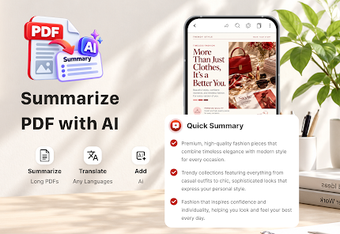
Summarize long reports or query specific passages with one tap, then annotate and edit the document on the same device. PDF Reader: Edit AI Summary, from SONG PHAT DENTAL COMPANY LIMITED, targets Android productivity users and combines AI summarization, an interactive Q&A assistant, and built-in translation. The app also offers horizontal, vertical, and page-by-page viewing, plus search and navigation tools. It's aimed at students, researchers, and business professionals who handle dense PDFs on mobile and need fast extraction of key points.
It reads, edits, and extracts meaning from long PDFs
The app acts as both a reader and an editor: it opens documents for text edits, highlights, and notes while offering one-tap AI summarization to identify main ideas. The source material lists editing and annotation tools alongside the AI summary function, so a typical workflow can move from reading to compressing content into a short digest, then marking up the original for later reference.
Interactive Q&A and translation help users interrogate documents
The integrated AI assistant answers document-specific questions and translates text inside the PDF, which the developer positions as a way to extract targeted information and handle multi-language content. The Q&A feature lets a user request specific facts from within a file rather than scanning pages manually; built-in translation supports multilingual documents without leaving the app.
Navigation and viewing modes support focused review sessions
Viewing options include horizontal, vertical, and page-by-page scrolling plus zoom and rotation, which suit close reading and presentation checks on Android devices. Advanced text search and page navigation are available for locating passages quickly, which helps when reviews require jumping between sections or verifying quoted material in long reports.
Designed for mobile productivity with modest onboarding needs
The developer describes the tool as lightweight and optimized for mobile document work, so teams and individuals can install it on standard business hardware without complex setup. The app groups AI features with traditional editing controls; professionals familiar with PDF workflows can use the summary and Q&A features with little extra training, while newcomers can rely on the app's guided UI elements to locate core functions.
Suitable for professionals who need rapid insight from documents
PDF Reader: Edit AI Summary is a practical mobile option for students, researchers, and business professionals who require quick extraction of key points and in-context answers from PDFs. Expect fast comprehension tools paired with standard annotation and editing, though organizations that need desktop-focused or enterprise document management should evaluate whether a mobile-first workflow matches their policies.